

The problem
Passive fire stopping is compliance work: every penetration through a fire-rated wall has to be sealed, recorded and traceable, on new builds and on surveys of existing buildings. On site that meant paper forms, photos on a phone and a lot of typing up later. Contractors needed a quick way to log each item where they stood, even with no signal, and give their clients a report at the end. Large facilities managing their own compliance needed the same record across many buildings.
What we built
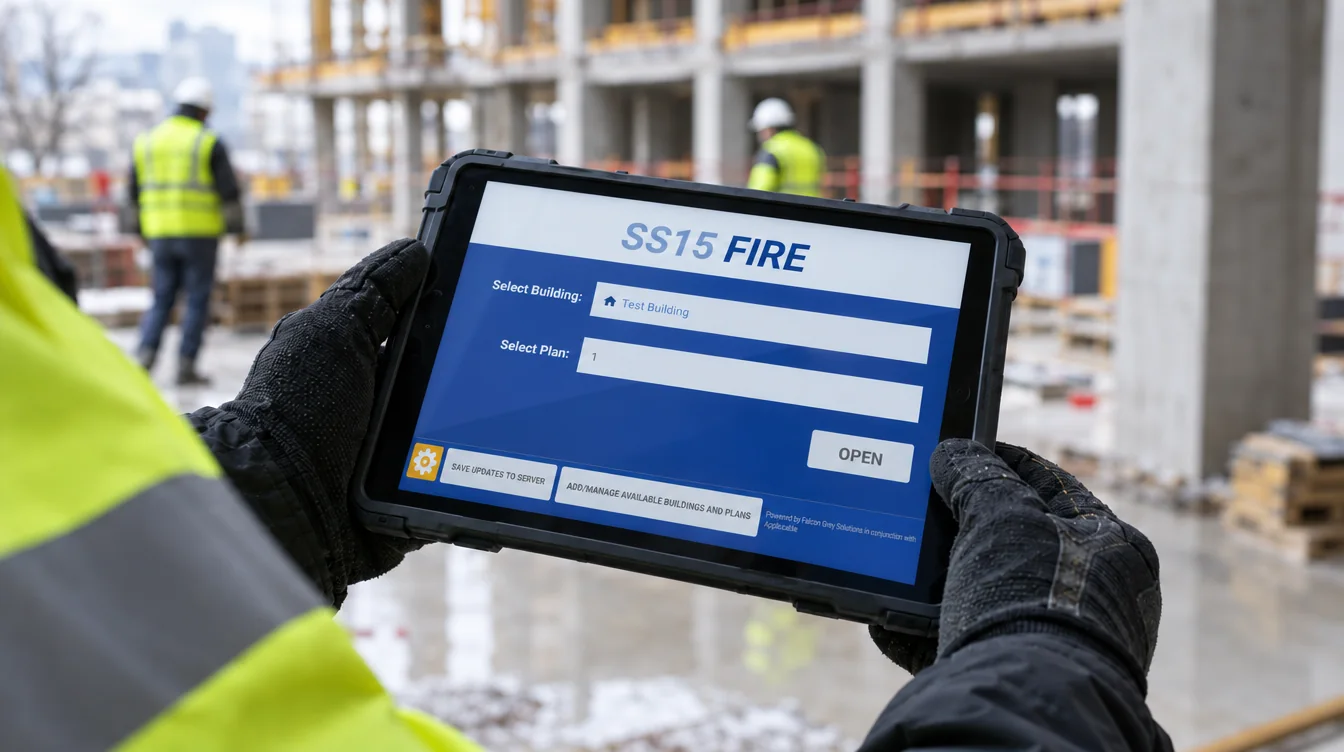
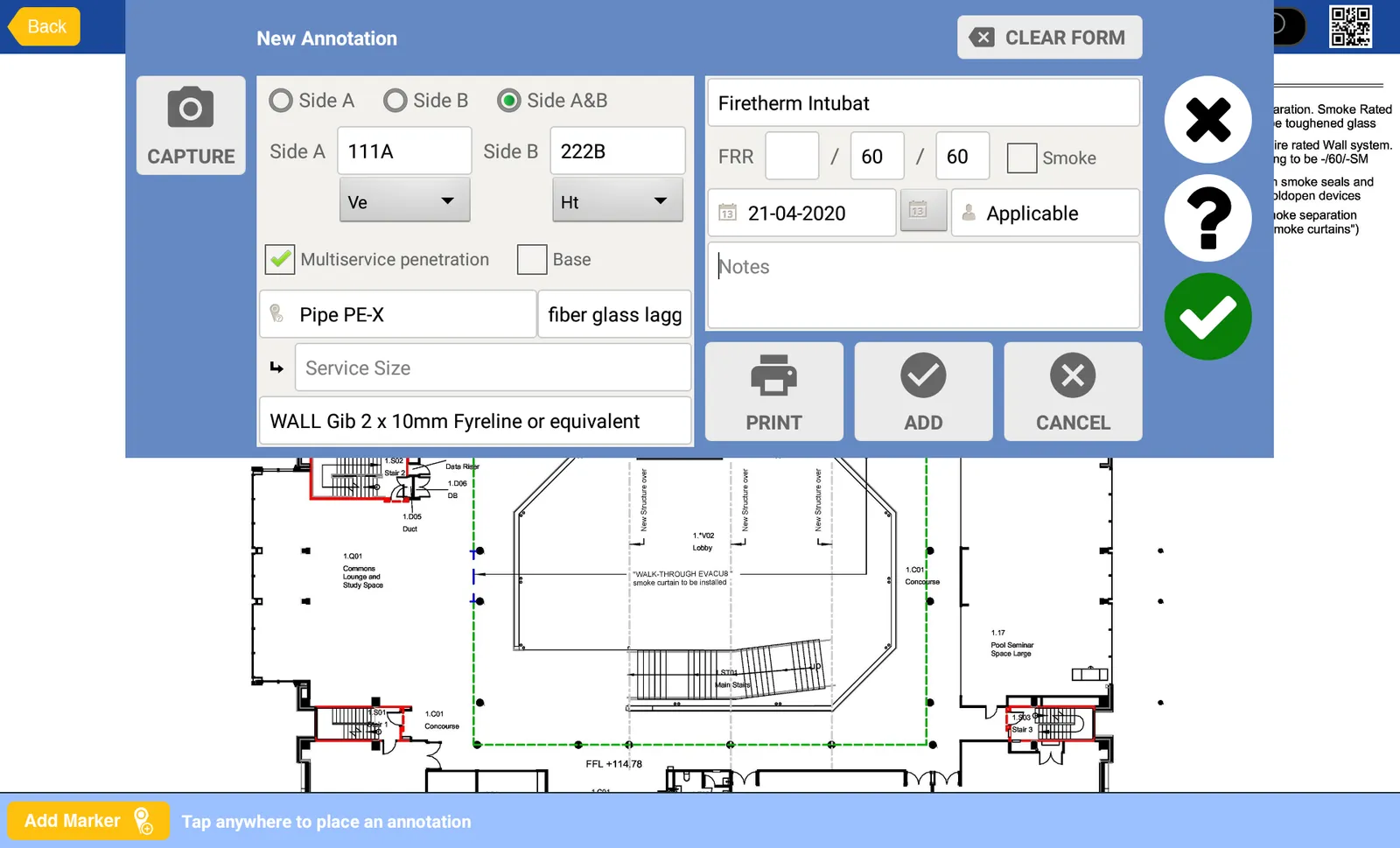
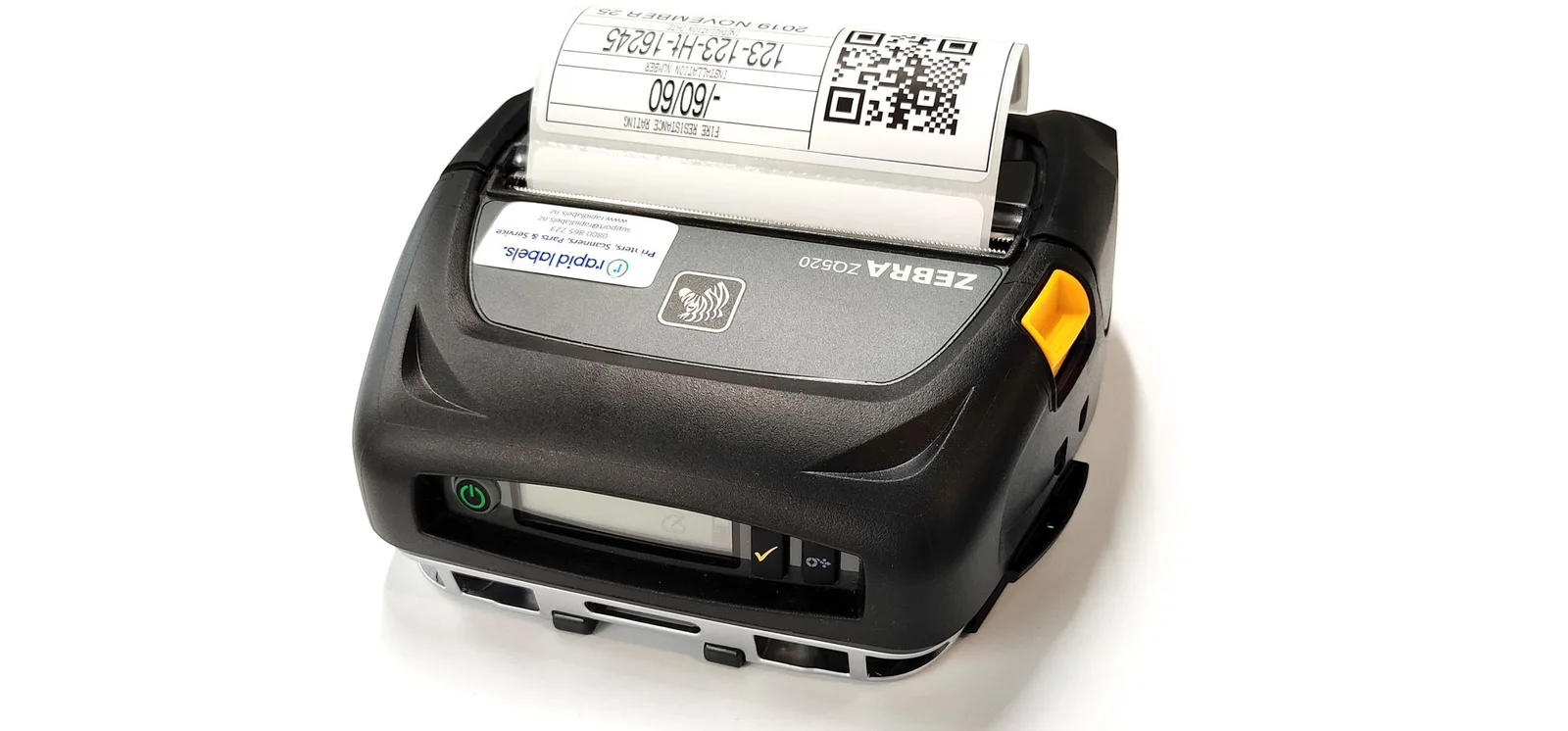
A multi-tablet Android app that works online or offline and syncs with a custom cloud application. Users check a plan out, pan and zoom around it with gestures, drop a marker where the work is, and record it with auto-complete fields for service type, wall type and system. Each annotation carries a compliance setting (compliant, non-compliant, or needing engineering judgement) shown as a traffic light on the marker, plus photos from the tablet camera. A Bluetooth label printer prints a QR-coded label for the penetration; scanning it later brings the record back up.
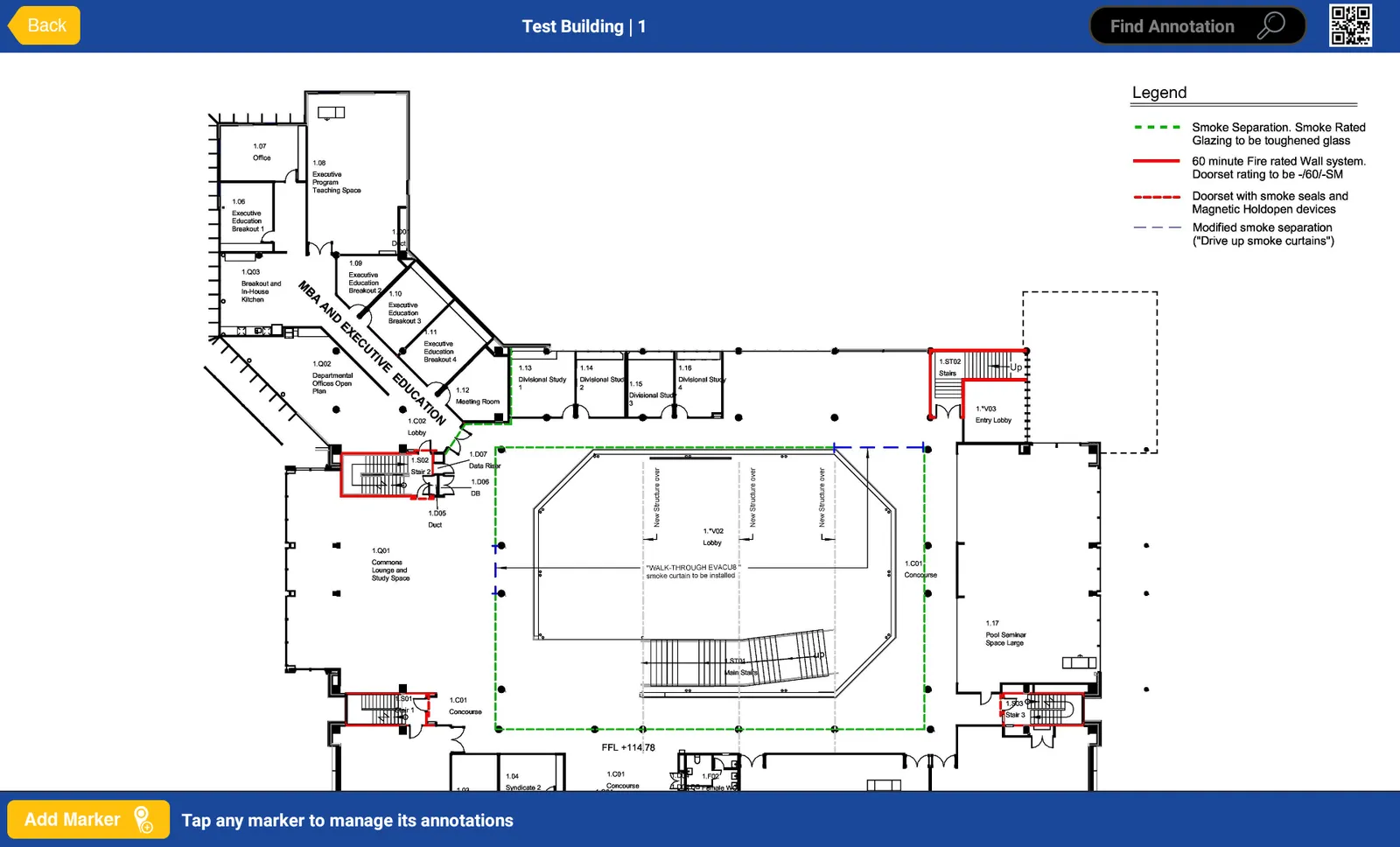
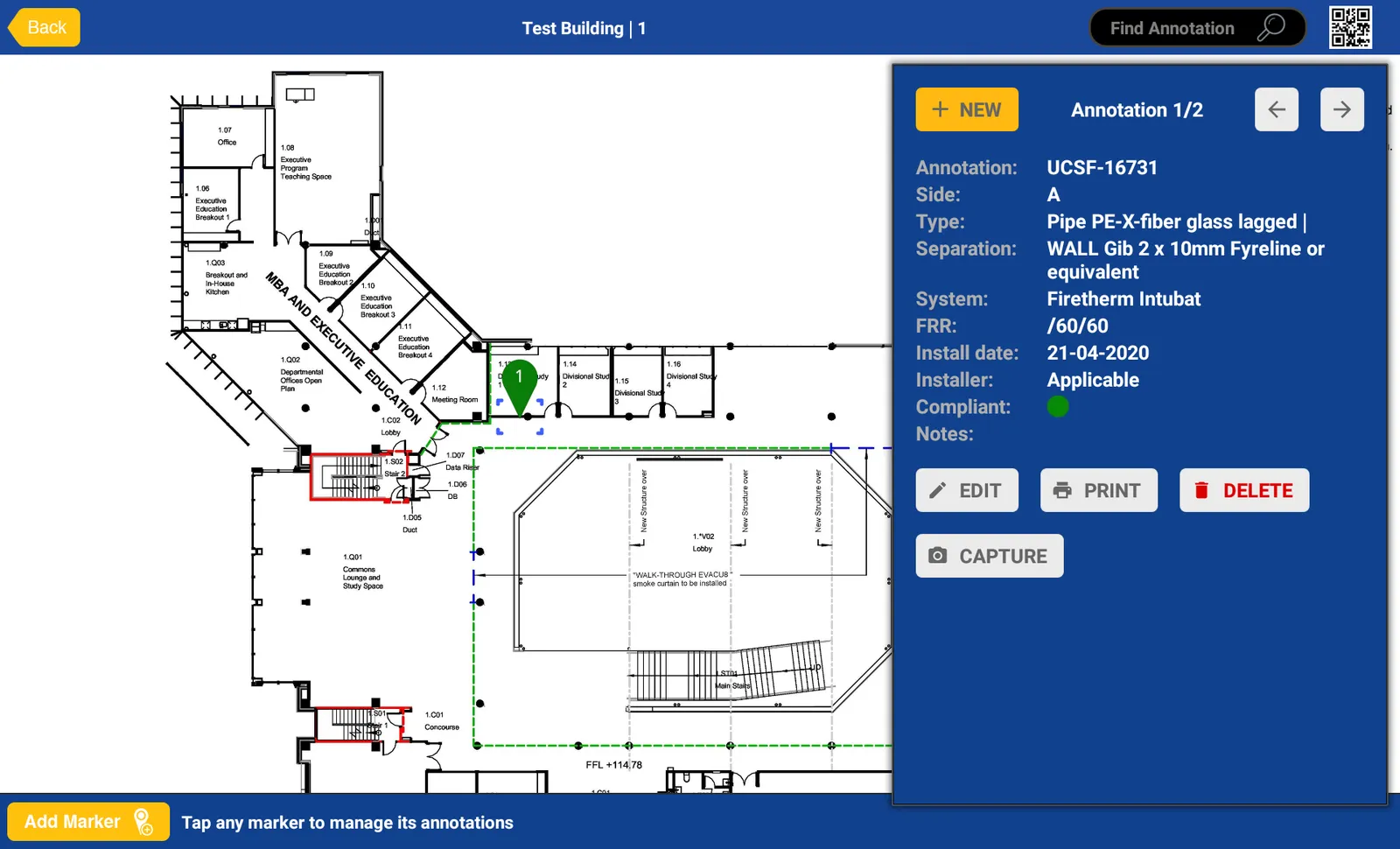
The cloud back end handles buildings, plans and users, editable lists for wall types, services and systems, building reports with markers, annotations and photo links, billing and productivity reports with filterable export, and data export to other building management software. The app has been refined through several generations of user feedback.
The result
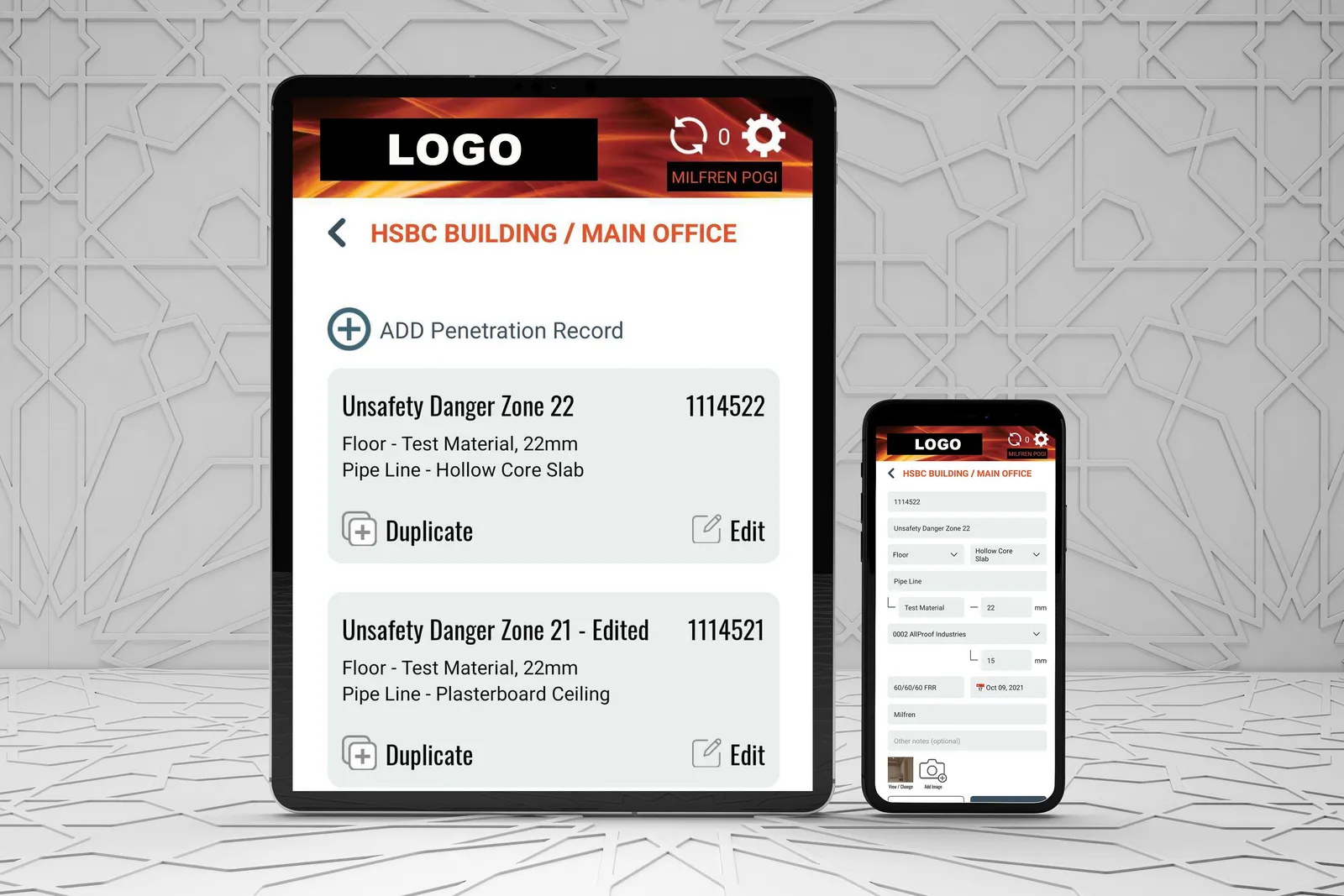
Fire Report is in use across two major New Zealand universities and within a number of specialist firestop companies. The old site described the effect plainly: it radically shortcuts documentation of passive fire work, for both new builds and remedial work. The offline-first approach, smart assisted entry and label printing turned a paperwork job into a single integrated process on site.
Key takeaways
- Applicable built Fire Report, an offline-capable Android app and cloud back end for documenting passive fire work.
- Users mark up architectural plans, capture photos, set compliance status and print QR-coded labels on site.
- The app is used by two major New Zealand universities and a number of specialist firestop companies.